Submitted for Assignment 3, Creative Commons Certificate: Anatomy of a CC License
So far in my journey through Creative Commons, we’ve talked about what Creative Commons is, what Copyright is, and now in this third section of the certificate, we put them together, in a way, to talk about Creative Commons Licenses.
Sometimes when I am writing up these assignment-related blog posts, I feel like I am just repeating what I’ve read and learned in the notes for this certificate. Then I remember: you haven’t had that experience, so it’s all good! Plus, I am digging up some additional resources to enhance the information.
Remember that Creative Commons licenses exist on top of basic copyright rights, in other words, they are not a replacement for copyright (and they operate within the scope of copyright law), but do affect exceptions and limitations to copyright (but NOT to trademarks, patents, etc.). So, while CC licenses don’t change anything with regards to people being able to read, listen to, or view your creations, what they DO do is allow creators who are also the holders of a creation’s copyright to grant additional permissions to others, for example to reuse and copy the creation for their own purposes, to revise or adapt the creation, and to redistribute the original creation or adaptations of it (hopefully also licensed as CC), to others.
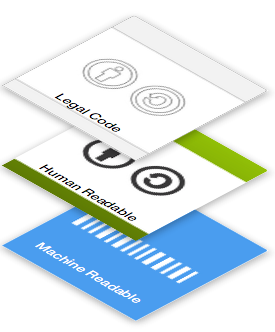 There are three layers of CC licenses. What I mean by that is that there is a base legal code (the lawyer-ese, legally enforceable part), then the commons deed (the normal person readable, non legally enforceable summaries), and finally the machine-readable part (the metadata that allows us to search for CC licenses online). When you copy the CC license code you have chosen onto your creation, all three layers will automatically be applied.
(image from Creative Commons)
But how do you choose a Creative Commons license? Well, there are four license elements, and using those four elements, we create six Creative Commons licenses.
The four license elements are:
 Attribution, or “BY”, means that people can use, adapt, and redistribute your creation with no restrictions except that they must give you attribution.
 NonCommercial or “NC” means people can use, adapt, and redistribute your creation, but NOT for profit, again as long as they give you attribution.
 ShareAlike or “SA” means that if people create adaptations from your creation, they must share that new creation under a similar license.
 NoDerivatives or “ND” means that while people could adapt your work, they can’t share those adaptations with others.
And here are the six CC licenses we can create from these four elements (all six licenses require attribution, so I have not noted that again below).
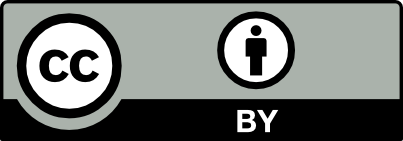 “CC BY” allows people to use the work for any purpose.
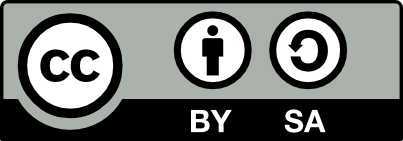 “BY-SA” allows people to use the work for any purpose, but adaptations must be made available under the same or a compatible license.
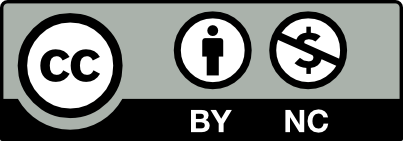 “BY-NC” allows people to use the work for any noncommercial purpose (so, they can’t make a profit from the work or adaptations of it).
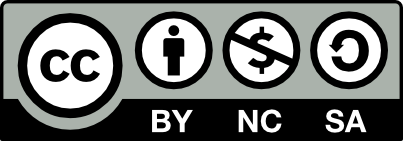 “BY-NC-SA” allows people to use the work for noncommercial purposes, but must be made available under the same or a compatible license.
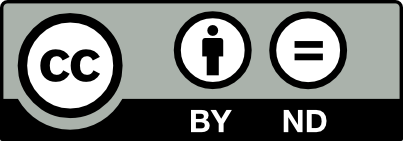 “BY-ND” allows people to use the work for any purpose (even commercially) but NOT to adapt it.
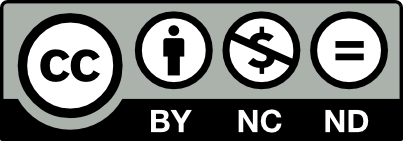 “BY-NC-ND” allows people to use only the un-adapted work for noncommercial purposes.
For those of you who would like to see an more visual explanation of these elements and licenses, here is a video from censiCLICK (note that this video also explains the relationship between CC licenses and the public domain, which I will talk more about later in this post).
Creative Commons Licenses, Explained
CC licenses (like copyright) don’t affect public domain works, and should never be applied to works which are in the public domain. But Creative Commons has created icons to indicate either that a work is already in the public domain, or that a creation has been dedicated by its creator to the public domain. And while you could apply CC license to adaptations created from public domain works, Creative Commons encourages you not to do so, but to allow the adaptation to also become part of the public domain.
Here are the two Creative Commons icons indicating that a work is in the public domain:

The CC0 icon indicates that a creator has dedicated her creation to the public domain, except in those jurisdictions which don’t allow for this.

The Public Domain icon is simply a label indicating that the creation in question is free of all copyright restrictions.
To finish off my post, I wanted to share this video that talks about Creative Commons licenses and works in the public domain as they work in the world of Wikipedia and Wikimedia Commons – a little practical application, if you will.
Wikipedia Images – Public Domain Creative Commons (How-To)
References
censiCLICK. (2018, June 1). Creative Commons Explained. [Video File]. Retrieved from https://www.youtube.com/watch?v=gZMPRymQsBw&feature=youtu.be
FPC-Virtual. (2018, June 1). Wikipedia Images – Public Domain Creative Commons (How-To). [Video File]. Retrieved from https://www.youtube.com/watch?v=50u-31sniU8
 This work is licensed under a Creative Commons Attribution 4.0 International License.
Recent Comments